
1. Access the Referral Program
-
Log in to your Performance Property Portal.
-
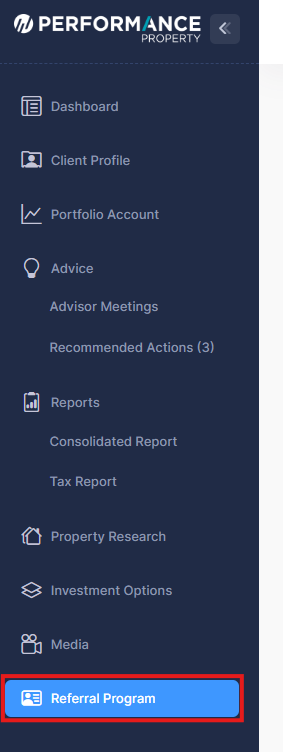
From the left-hand navigation menu, click Referral Program.
This will open the Referral Program page where you can submit a new referral.
2. Read the Referral Program Information
At the top of the page you will see a Referral Program & Rewards Points section that explains:
-
How the referral program works
-
How reward points are earned
-
How points can be redeemed
You can also click Terms & Conditions for full details.
3. Enter Your Referred Client’s Details
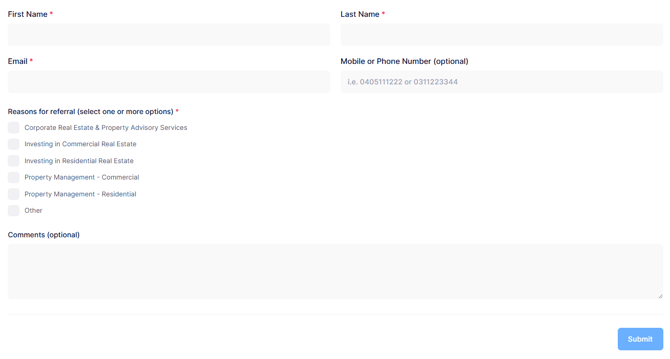
Under New Referral, complete the required fields:
Personal Details
Fill in the following information for the person you are referring:
-
First Name* – Enter the client's first name
-
Last Name* – Enter the client's last name
-
Email* – Enter the client’s email address
-
Mobile or Phone Number (optional) – Enter their contact number
-
Reasons for referral* (select one or more options)
-
Additional Comments (optional)
Fields marked with * are required.
4. Submit the Referral
-
Review the information you entered.
-
Click the Submit button at the bottom of the form.
Your referral will then be sent to the Performance Property advisory team for follow-up.