
Login with Email and Password
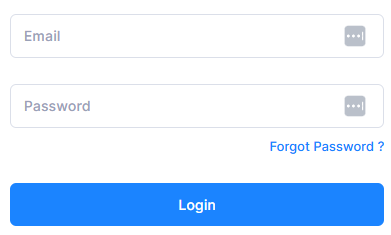
If you registered using your email address and a password, please follow these steps to access your account:
-
Go to the login page:
-
Enter your email address and password.
-
Click “Log In” to access your account.
Google Single Sign-On (SSO)
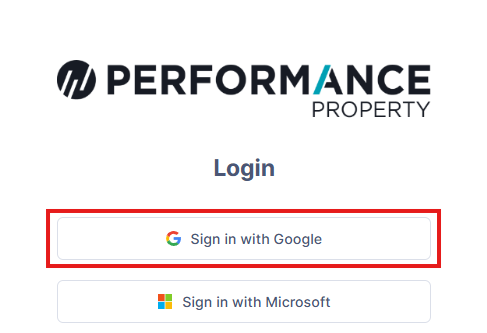
If you registered using your Google account, you will need to use the Sign in with Google option. You won’t be able to log in using a username and password.
Please follow the steps below:
-
Go to the login page:
https://portal.performanceproperty.com.au/accounts/login/ -
Click “Sign in with Google.”
-
Select your Google account and follow the prompts to log in.
Microsoft Single Sign-On (SSO)
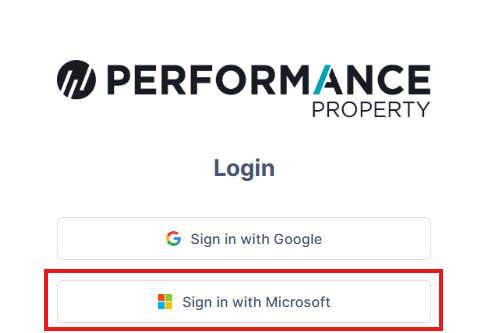
If you registered using your Microsoft account, you must use the Sign in with Microsoft option rather than entering a username and password.
Please follow these steps:
-
Go to the login page:
https://portal.performanceproperty.com.au/accounts/login/ -
Click “Sign in with Microsoft.”
-
Select your Microsoft account and complete the sign-in process.
If issues persist please email portalsupport@performanceproperty.com.au